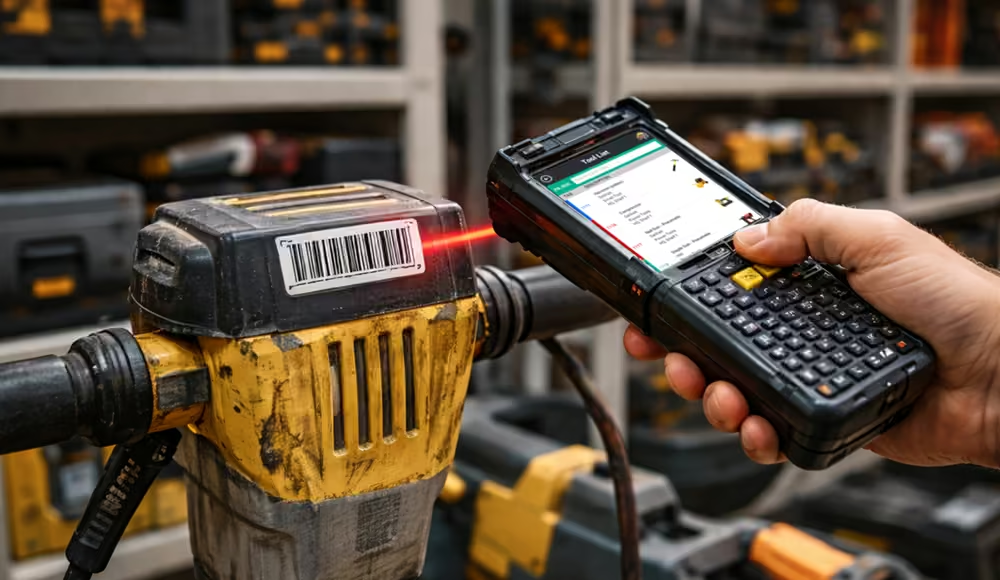
Tool tracking software works by assigning each tool a unique identifier stored in a central system. Barcodes, QR codes, and RFID tags are used to access that identifier and simplify how tools are tracked in the field. Each time a tool is checked out / assigned, transferred, or returned, the system updates the record in real time and builds a time-stamped history of activity.
This creates a clear record of where tools currently are, who has them, and how they are used. It also provides a historical timeline of where tools have been, who previously had them, and how frequently they are used. Instead of relying on informal, error-prone processes or manual logs, teams gain a consistent and reliable view of actual tool activity.
The Tool Lifecycle: From Assignment to Return
A tool tracking system follows a defined lifecycle. Tools are assigned or checked out, used, sometimes transferred, and eventually returned. What matters is not the steps themselves, but how consistently each step is recorded.
Each such interaction with a tool creates a historical record. Over time, these records build a complete picture of how each tool is used across the organization. The sections below explain how each step works in practice.
How Tool Check-Out Works in a Tool Tracking System
The process begins when a tool is checked out or assigned to an employee, crew, or job site. This step must be quick and easy. If check-out takes too long or creates friction, teams will bypass it. For ease of use, tool tracking systems support scanning a barcode / RFID tag or entering the tool’s ID on a mobile device. This encourages user adoption by allowing the check-out process to be completed in seconds without interrupting work.
When a tool is checked out or assigned, the system records who has the tool, when it was checked out or assigned, and where it will be used. This creates clear accountability from the start. Teams can immediately answer basic questions like “Who is responsible for this tool? and where is it?”
Tracking Tool Usage and Movement
Tools can be checked out, assigned, transferred from one employee to another, moved between locations, or returned. A tool tracking system records these events to build a continuous, time-stamped history of each tool.
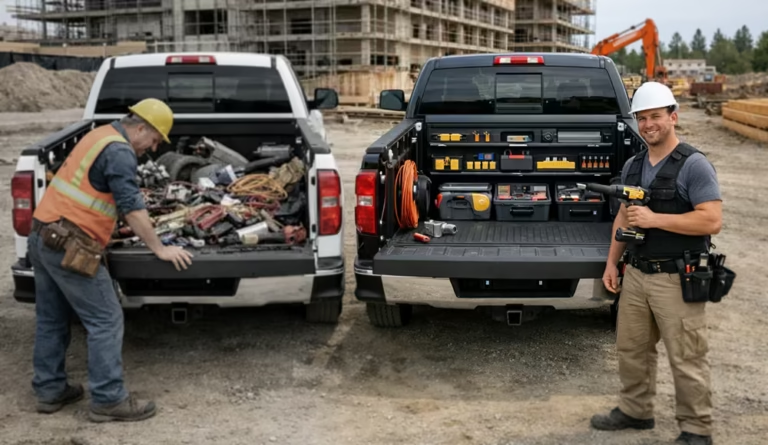
Common Manual Process: Technician A may tell a supervisor he is taking an expensive tool from a storage area in the morning. Later, Technician B asks for the tool, and Technician A hands it off without any record of the transfer. When the tool is needed again, no one knows who has it. The supervisor must track it down by going from employee to employee, which takes time and disrupts work. Sometimes the tool is never found and must be replaced. This is a common and costly scenario that also weakens accountability.
Tool Tracking Software Process: Technician A scans the tool to check it out, creating a record of possession. He remains responsible for the tool until it is returned or a transfer is recorded. When Technician B asks for the tool, the transfer is recorded. Technician A has a natural incentive to record the transfer, since he does not want to be held responsible for the tool once it changes hands. In addition, users can check the system at any time to see who has the tool, without wasting time to track it down manually.
With a tool tracking system, each step is recorded, responsibility is clear, and information is readily available. The process removes uncertainty and reduces disruption. Having accurate records also makes it easier to accurately quantify tool usage and make better maintenance & purchasing decisions.
How Tool Check-In and Return Works
When a tool is no longer needed, it is checked back in (returned). This updates its status and makes it available for the next use. Once returned, the tool is immediately visible as available for use. Having real-time status and location information allows teams to locate and reuse equipment without delay.
Tool Tracking Software Improves Decision Making
The long-term value of tool tracking software comes from the data it generates. Each check out, assignment, transfer, and return adds to a record of how each tool is actually used.
Usage becomes measurable, the chain of custody is clear, and accountability is easier to enforce. Teams waste less time searching for tools, fewer tools go missing, maintenance is better aligned with actual use, and unnecessary purchases / replacements are avoided. These same records also support compliance by providing a thorough history of how tools have been used and managed.
With tool tracking software, organizations make decisions based on measurable metrics, demonstrable patterns & concrete facts (rather than estimates or assumptions that may be inaccurate).
Why Understanding How Tool Tracking Software Works Matters
The effectiveness of a tool tracking system depends on how well it fits into daily operations. Understanding how these systems work helps highlight the gaps in existing processes, especially manual ones that persist simply because they are familiar.
Manual processes, such as spreadsheets or paper forms, tend to be tedious, error prone, and inconsistent. These weaknesses are not always obvious until they are compared to a system that records each step automatically and consistently.
Seeing how tool tracking software works, from check out to return, helps explain why some systems succeed while others fall short. The difference is not just the technology itself, but how well it supports real-world use without disrupting core work.